In the previous blog (Part I), you explored the overview of AI testing evaluation; now, you can dive deeper into the detailed functionality and practical implementation.
If you work in IT, especially in a global organization, you understand how critical consistency and accuracy are in daily operations. As a Dynamics 365 CRM Engineer, you likely support teams across multiple countries who rely on Dynamics 365 Customer Service every day.
As part of your digital transformation journey, you may introduce a Copilot Studio agent to help support teams quickly find answers about case handling, SLAs, escalation rules, and best practices, right inside Dynamics 365.
Building the Copilot was the easy part. The real challenge was making sure it gave the right answers consistently for everyone. In the beginning, we tested it manually by asking a few questions and doing basic checks. But once more users got involved, problems started showing up. The same question would get slightly different answers, some important SLA details were missed, and users who phrased questions differently didn’t always get clear responses. With a global support team, that kind of inconsistency was risky.
While exploring Copilot Studio, I came across the Agent Evaluation feature, and it turned out to be a game changer. Instead of guessing, we could test the Copilot using real support questions in a structured way and clearly see where it performed well and where it needed improvement. It helped us catch issues early, improve quality, and feel much more confident before rolling changes out globally.
Step-by-Step: How to Configure Agent Evaluation in Copilot Studio
Let’s see how to set the configuration-
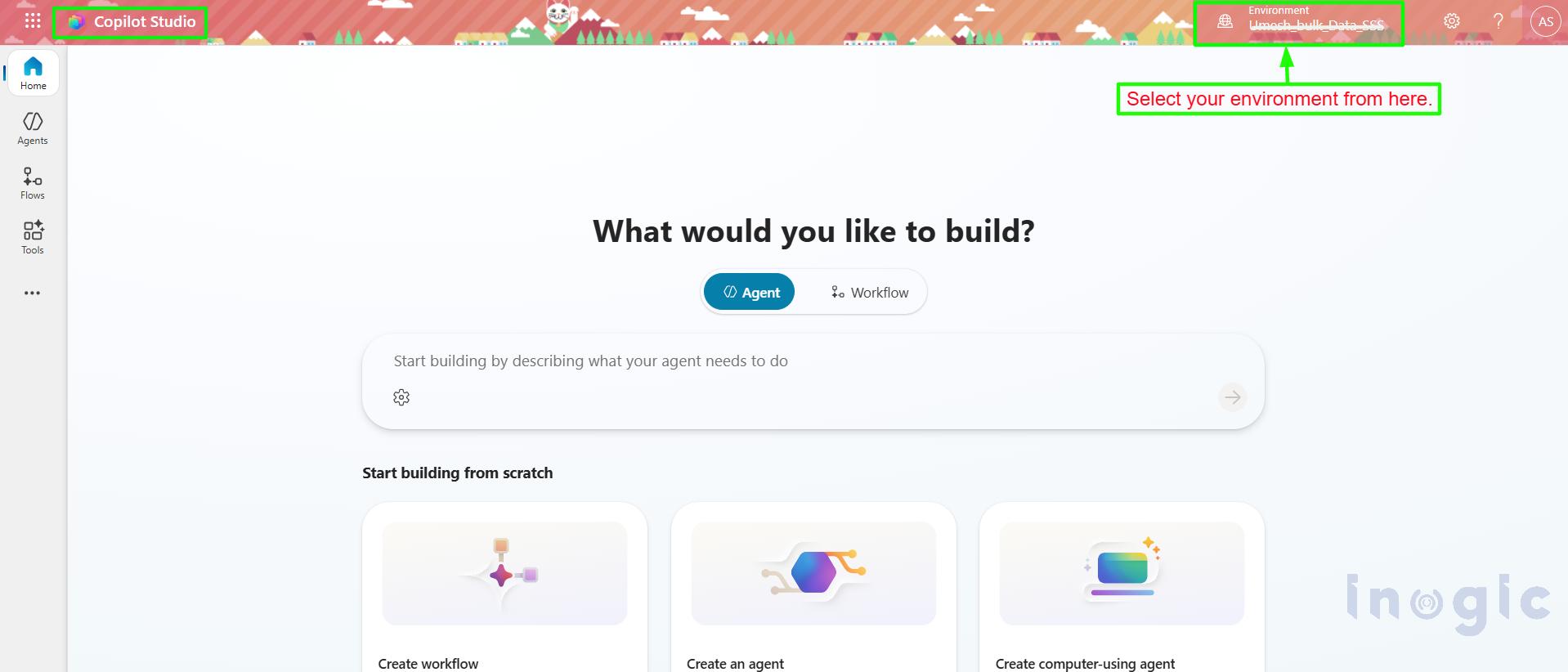
- Sign in to Copilot Studio (https://copilotstudio.microsoft.com).
- Selected the correct Power Platform environment.

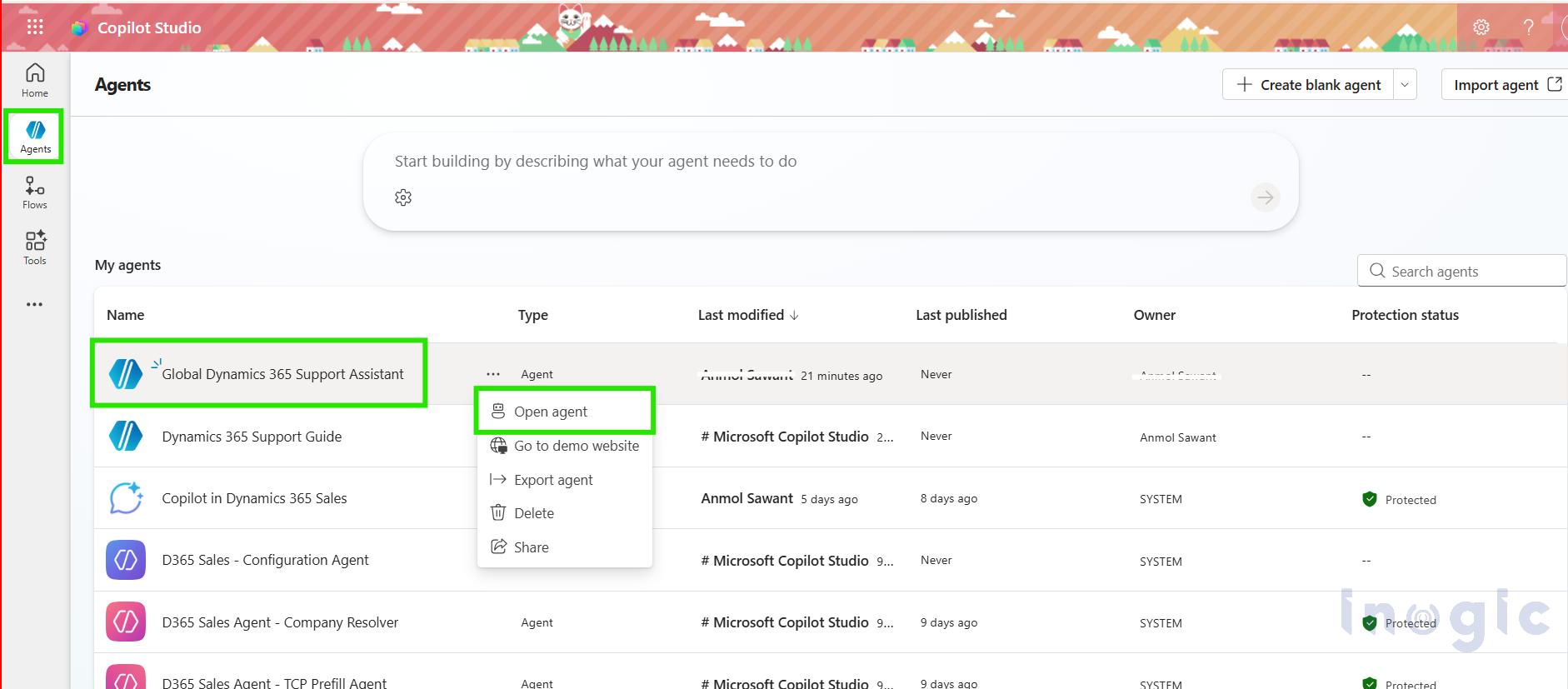
- Open the agent you want to evaluate.

- Verify that you had Maker/Admin access.
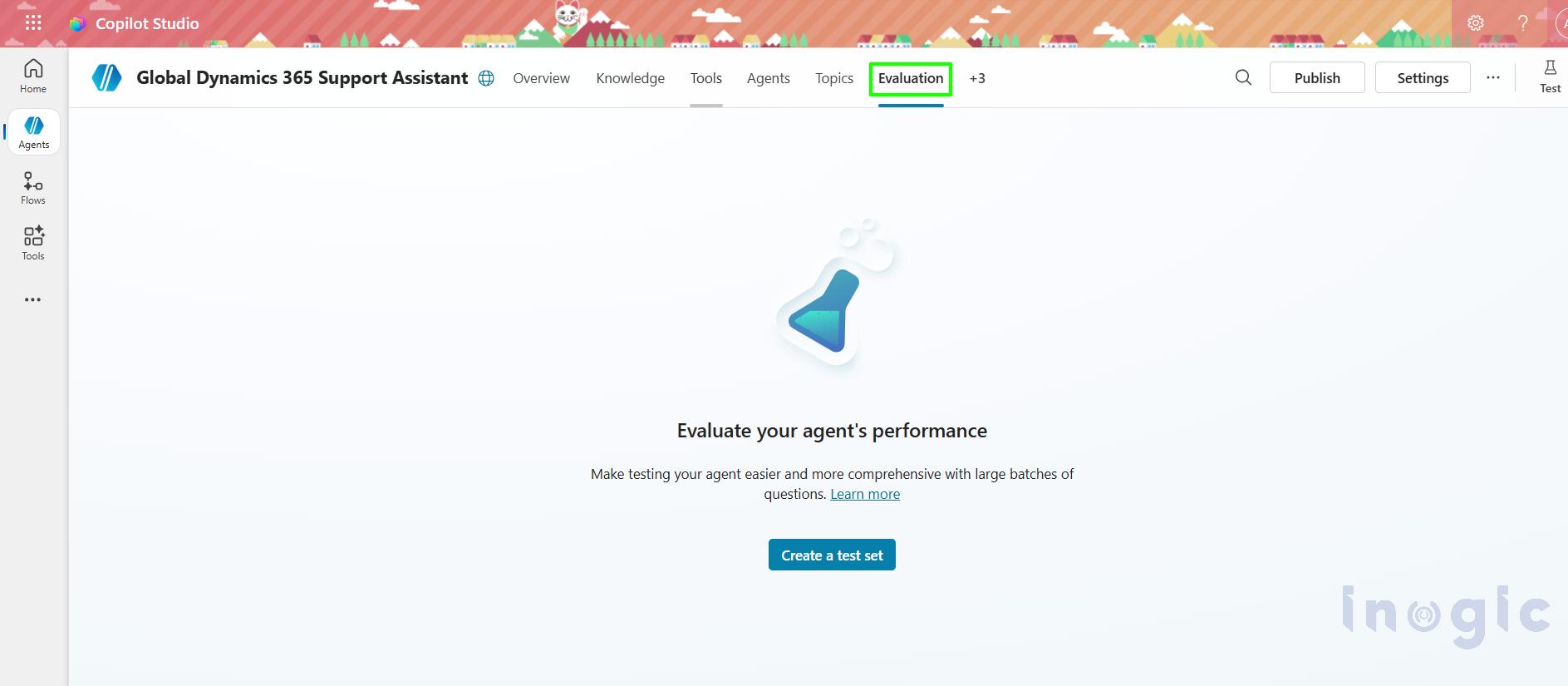
- In the left navigation for that agent, look for “Evaluation”.

- On the Evaluation page, you’ll see buttons like New test set to create/run evaluations.

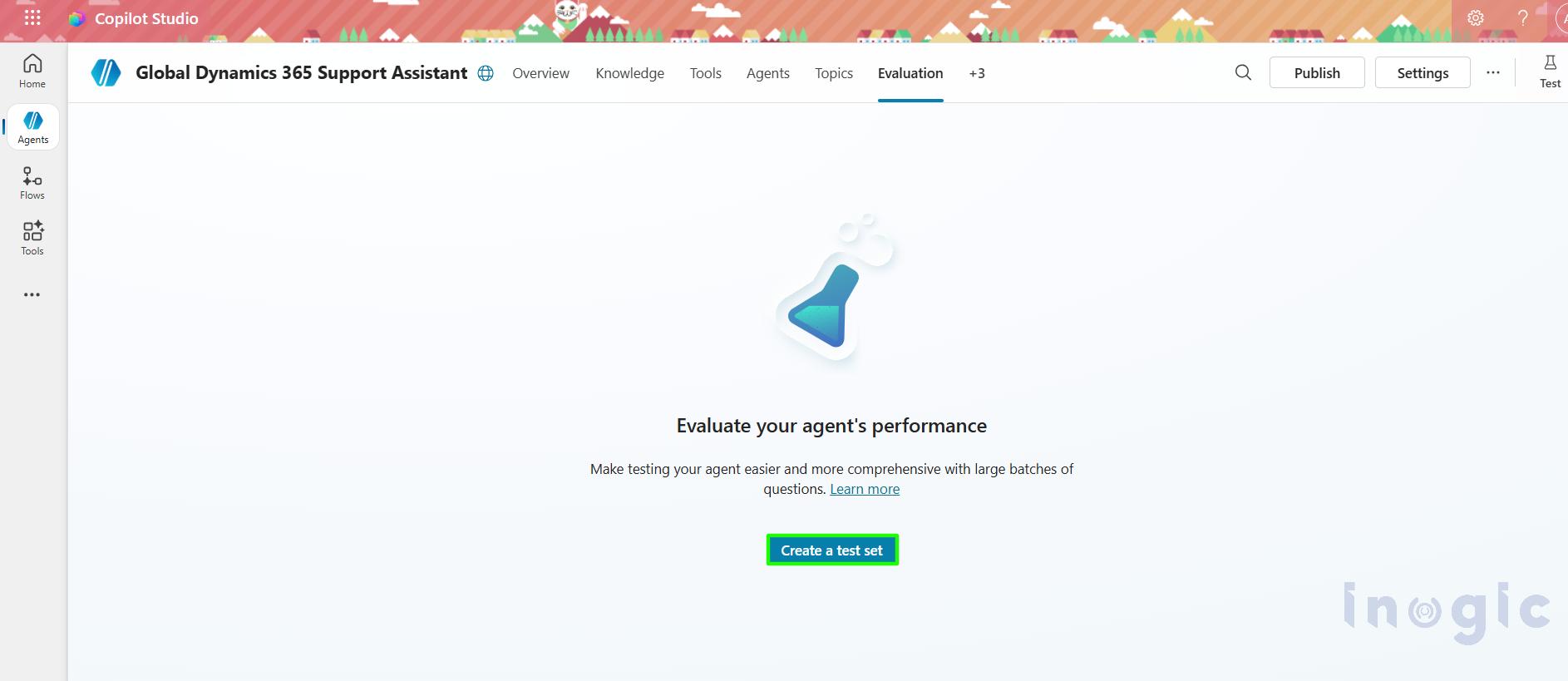
A test set is a collection of questions your agent should handle correctly.
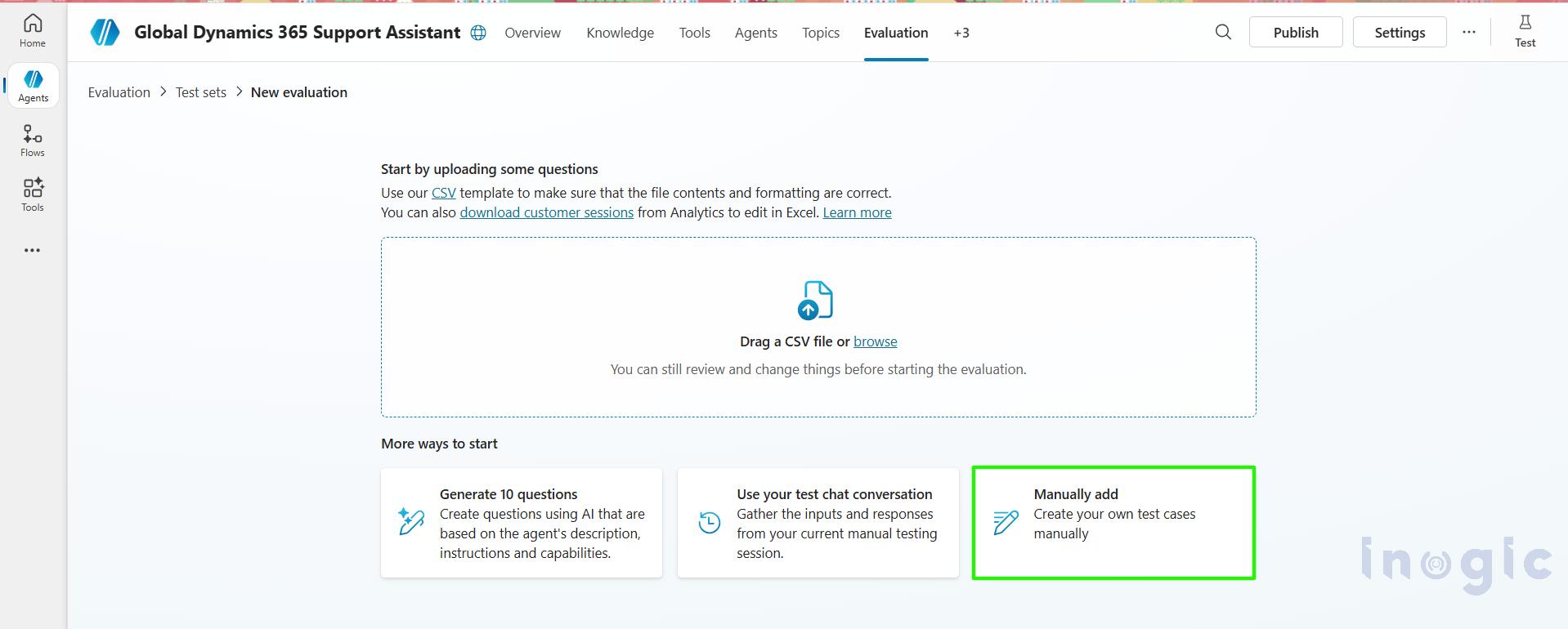
You can create test cases in multiple ways:
- As of now, AI generate 50 questions set automatically based on your agent’s description and knowledge sources.
- Manually write your own questions along with the expected results.
- Reuse questions from previous test chat conversations of yours.
- Tester can Import a CSV file with up to 100 test cases at one time
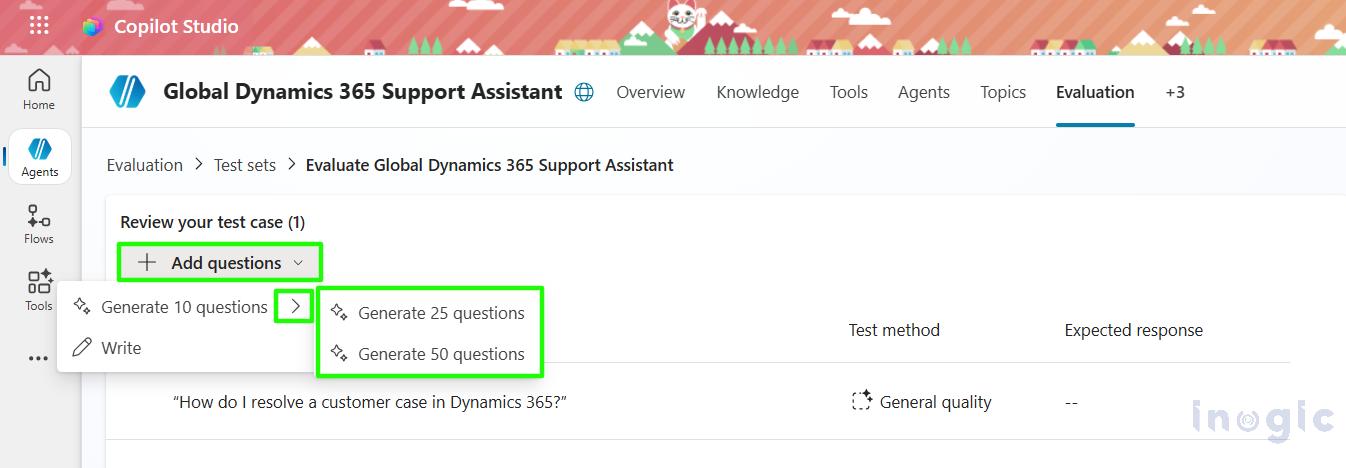
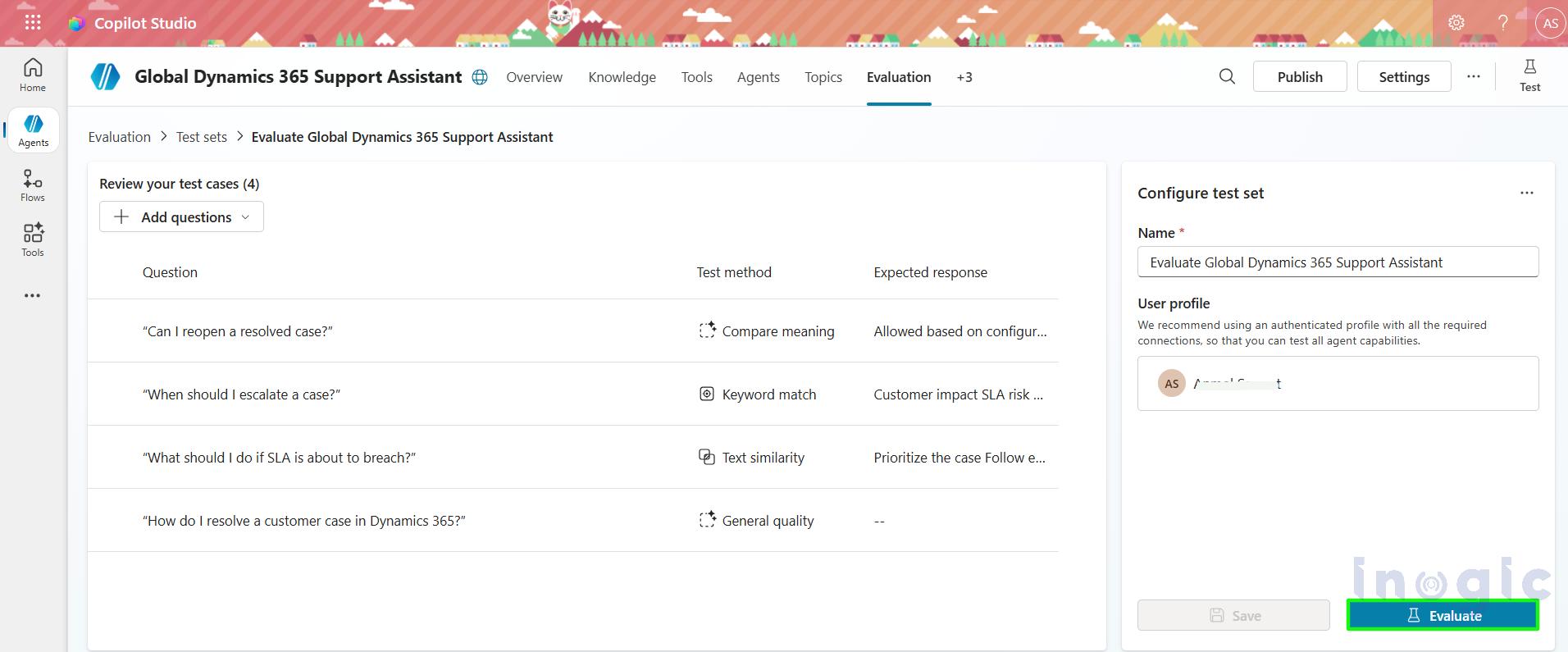
AI tester can Generate up to 50 questions test set write now as shown in below screenshot.
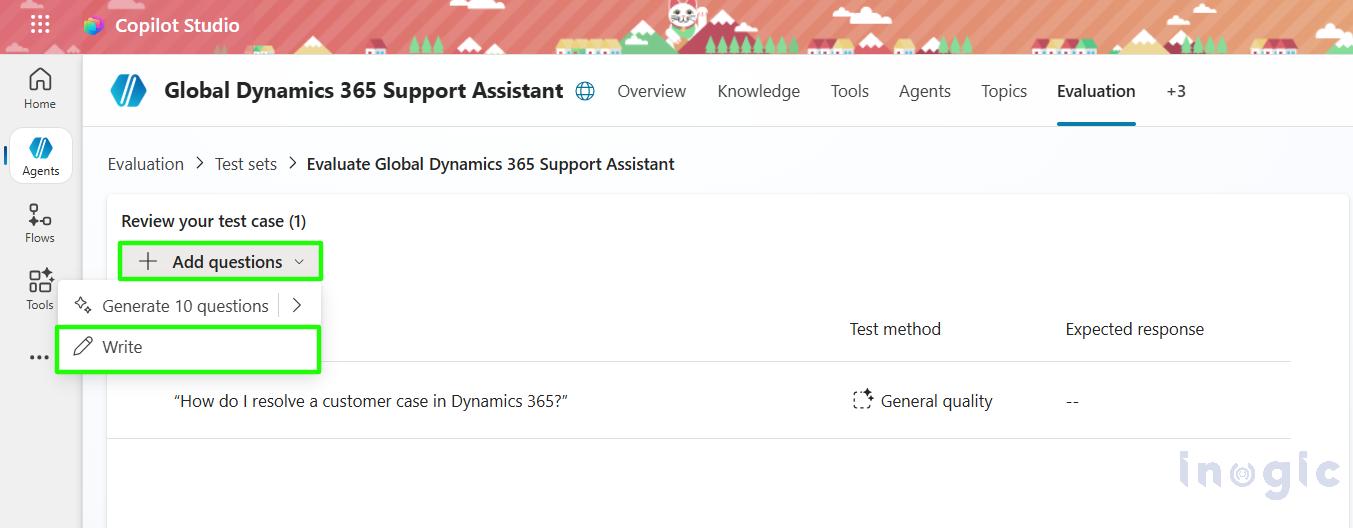
Click on Add questions dropdown icon then write option is visible you can choose and write the questions with your own requirements.
Each test case typically includes a few important components:
- The question you want the agent to answer
- The expected response (if you want to define what an expected answer is to be)
- The evaluation method used to assess the response
- The success threshold, which determines the minimum score required to pass.


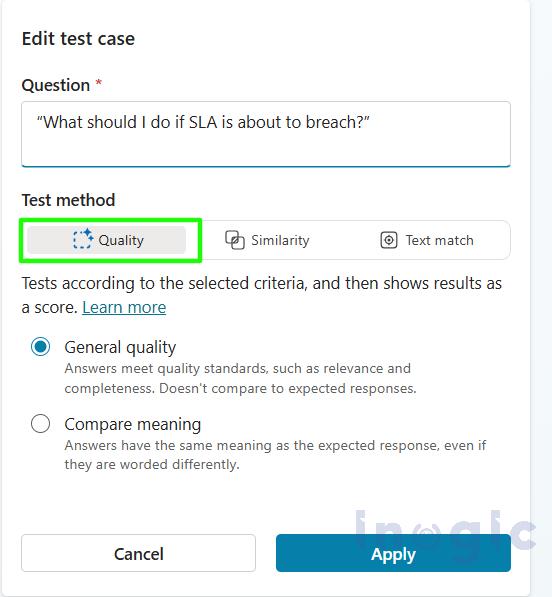
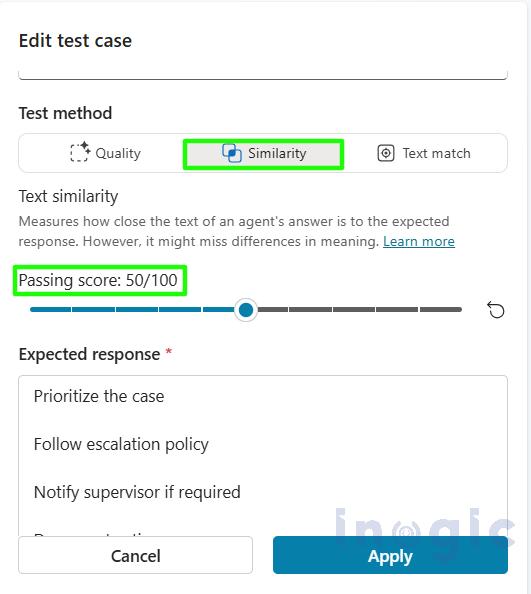
Expected result will come from the matching keywords which AI tester added in the expected result.
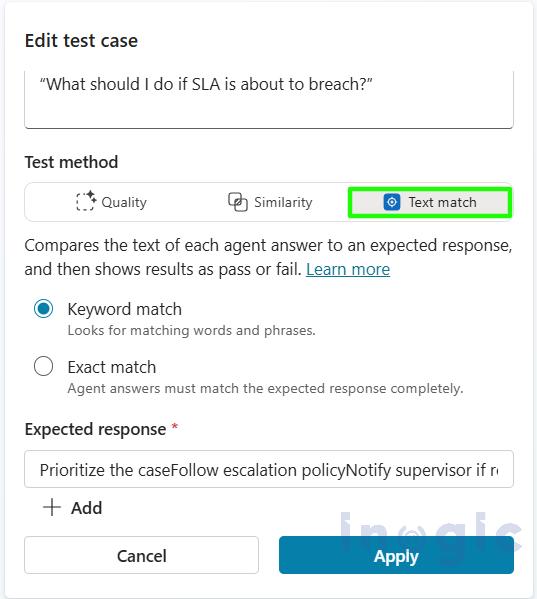
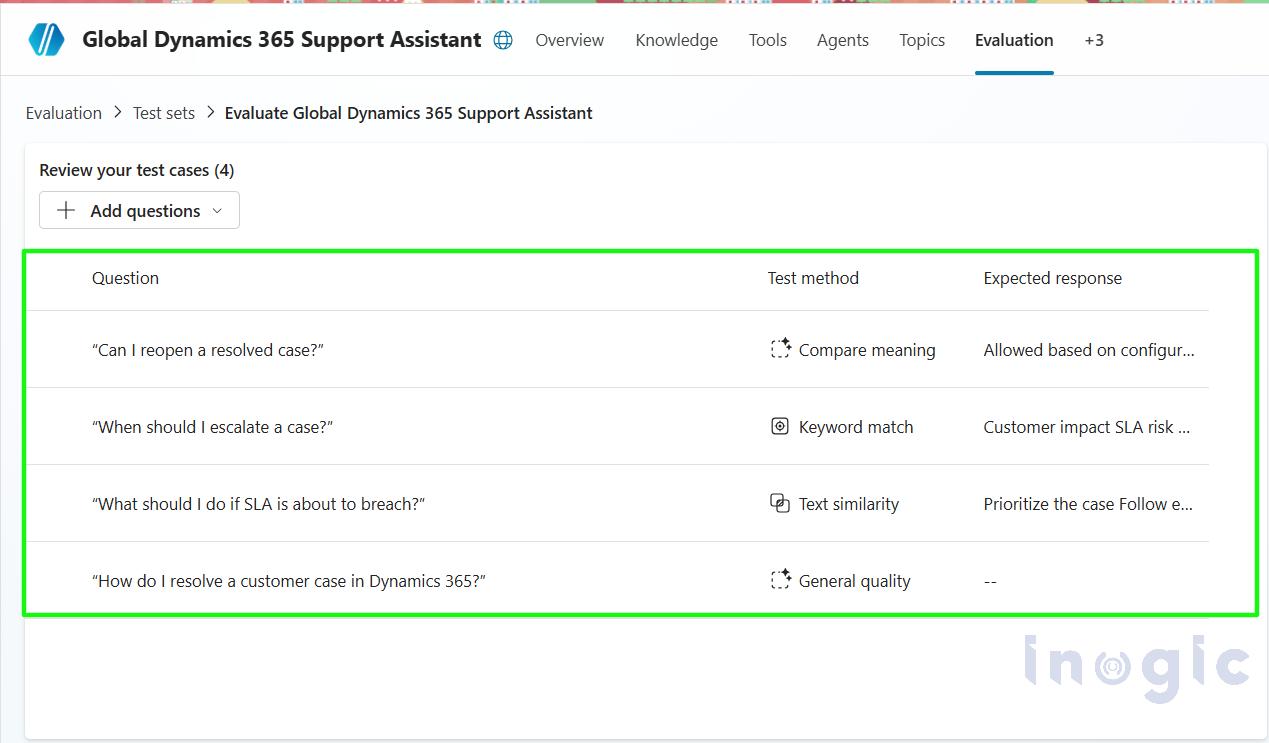
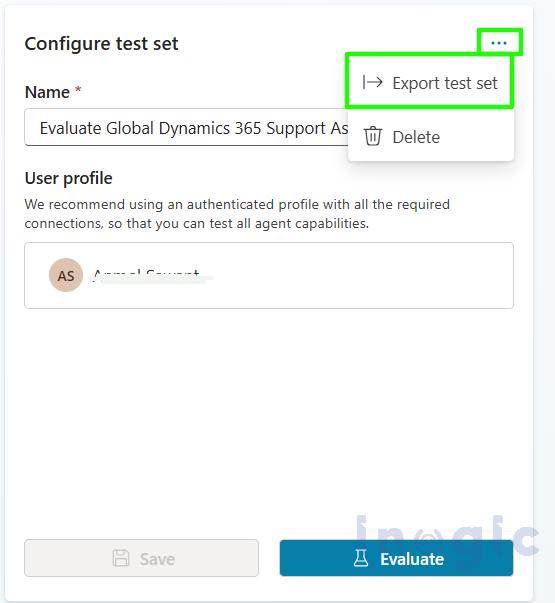
You can also export the test set which you have created in a single click for future use.
Results and Insights: –
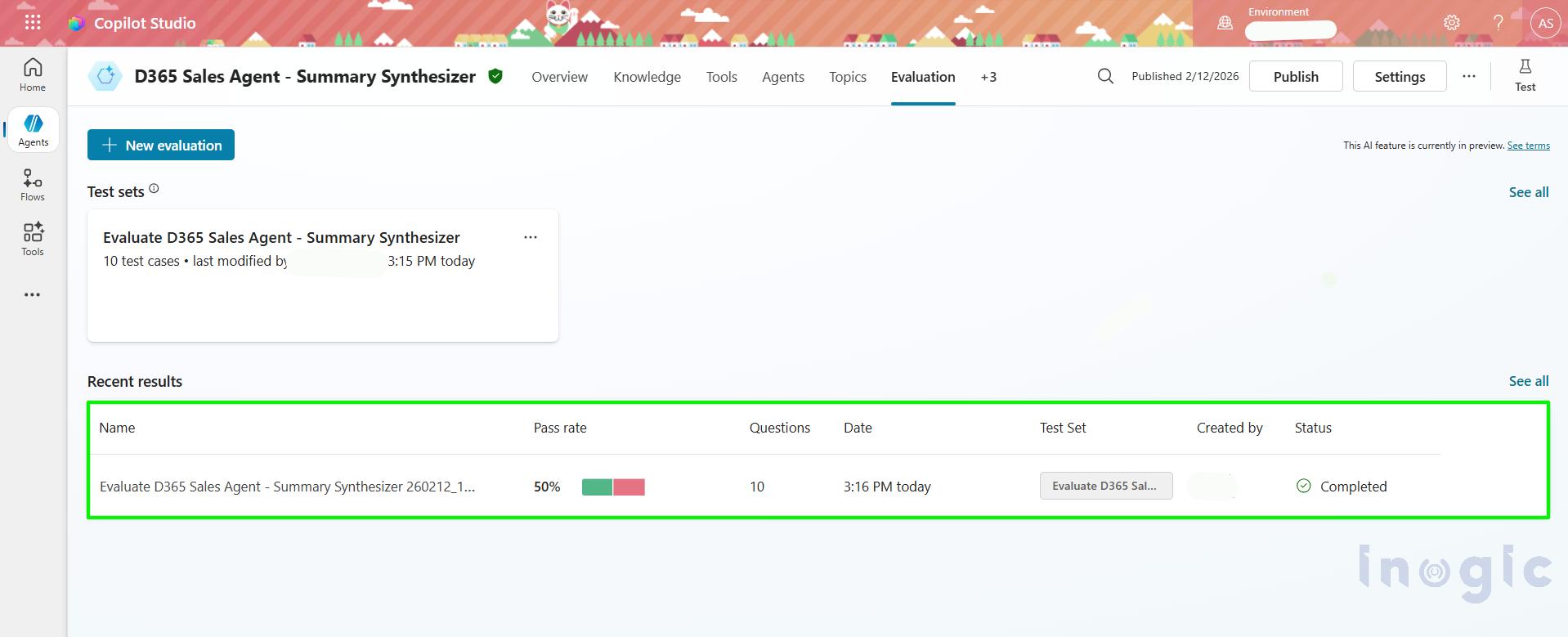
Once the evaluation run is complete, Co-pilot Studio provides clear and actionable results, including:
- A pass or fail status for each individual test case
- Quality scores for LLM-based evaluations to measure response relevance and completeness of test case
- Give clarity into which questions failed and the reasons behind the failure.
- Who create the test case and also the test case is ran under which user.
These insights are extremely valuable for teams because they help to:
- Identify weak or missing knowledge areas.
- Refine system prompts and improve grounding sources
- Establish measurable quality gates before moving to production
In short, Agent Evaluation turns AI testing from assumptions into a structured, data-driven process.
Frequently Asked Questions (FAQs)
What is Agent Evaluation in Copilot Studio?
Agent Evaluation is a built-in testing framework in Copilot Studio that allows you to test AI agents using structured test sets, scoring models, and pass/fail thresholds.
How do you test a Copilot agent in Dynamics 365?
You test a Copilot agent by creating test sets inside the Evaluation section of Copilot Studio. These test sets include predefined questions, expected responses, and scoring criteria.
How many test cases can Copilot Studio generate automatically?
Copilot Studio can generate up to 50 AI-based test questions automatically. You can also import up to 100 test cases via CSV.
Why is AI testing important in Dynamics 365 Customer Service?
AI testing ensures consistent responses, reduces SLA-related risks, prevents misinformation, and builds trust in enterprise AI deployments.
Can Copilot Studio measure response quality?
Yes. Copilot Studio uses LLM-based evaluation scoring and keyword matching to measure response relevance, completeness, and accuracy.
How do you reduce hallucinations in Copilot Studio?
You reduce hallucinations by:
- Improving grounding data sources
- Refining system prompts
- Setting evaluation thresholds
- Running structured test sets regularly
Is automated AI testing required before production deployment?
In enterprise environments, yes. Automated testing helps establish measurable quality gates before rolling AI solutions to production.
Final Thoughts
Automated testing is no longer optional when building AI-powered solutions. With Agent Evaluation in Copilot Studio, Microsoft introduces enterprise-grade testing discipline into Copilot agent development.
By adopting automated evaluations, organizations can:
- Build greater trust in AI-generated responses
- Reduce risks before releasing agents to production
- Scale Copilot adoption confidently across teams and regions
- Continuously improve agent performance over time.