AI agents are rapidly transforming how teams work by reducing manual effort, improving decision-making, and enabling employees to focus on high-value tasks.
With Microsoft 365 Copilot introducing Researcher and Analyst AI agents, organizations now have powerful, ready-to-use assistants that can research topics, summarize information, analyze data, and generate actionable insights directly inside Teams.
These agents eliminate the need to switch between apps, helping teams operate in a more streamlined and intelligent workspace. Whether you’re preparing a sales brief, compiling market trends, or analyzing customer feedback, these Copilot-powered agents bring clarity, speed, and accuracy to everyday tasks within your existing Microsoft ecosystem.
What Are These New AI Agents in Microsoft Teams in Copilot?
- Researcher Agent
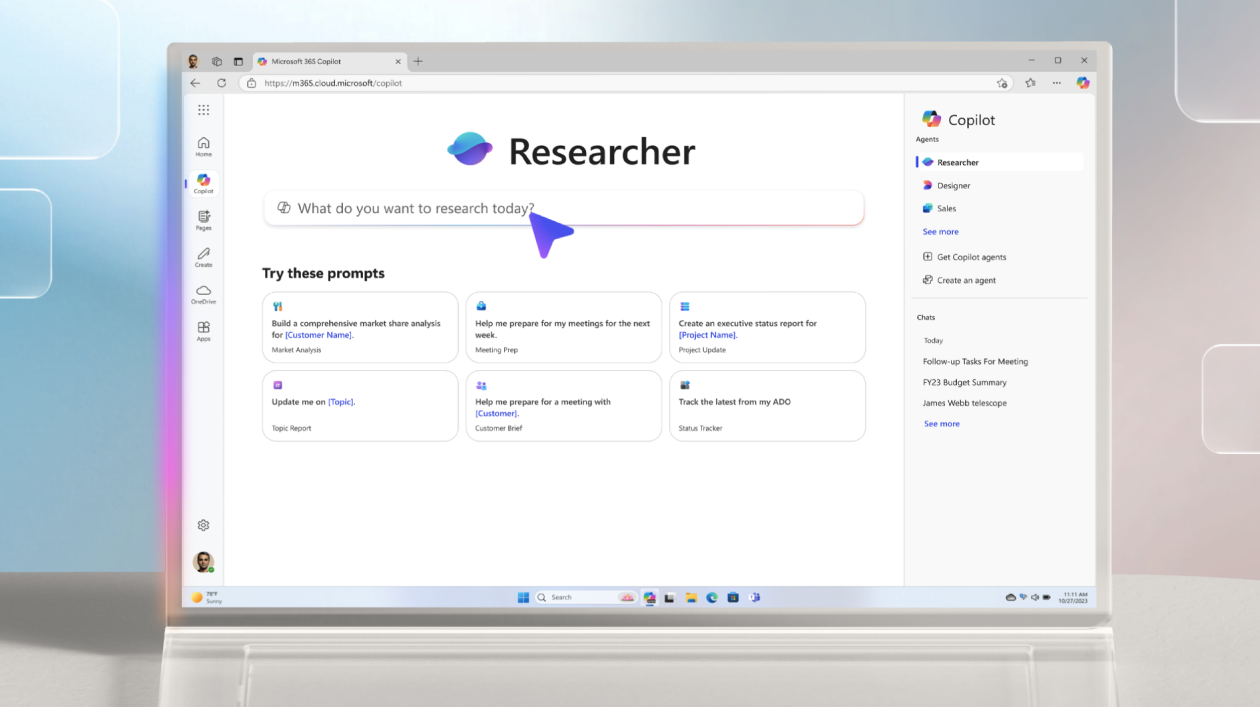
The Researcher agent helps users complete multi-step research tasks and create structured documents. It gathers information from Teams chats, emails, meeting notes, SharePoint and OneDrive files, web sources, and external connected apps like Salesforce, ServiceNow, and Confluence.
- Analyst Agent
The Analyst agent focuses on data analysis, visualizations, and forecasting. It can read spreadsheets and files across your Microsoft 365 environment, run Python-based logic, produce charts and predictive models, and explain its reasoning.
How Can These Agents Be Used in Microsoft Teams?
- On-Demand Research in Channels & Chats
Users can ask the Researcher to summarize feedback, compile insights, or draft reports directly within Teams.
- Quick Creation of Business Documents
The Researcher agent can generate strategy drafts, competitive analysis, meeting briefs, and more.
- Live Data Analysis During Teams Meetings
The Analyst agent can forecast trends, analyse spreadsheets, and visualize insights live during discussions.
- Agents as Collaborative Team Members
These agents eliminate the need for manual research, data cleanup, and document creation.
Use Case: Preparing a Sales Review Report in Minutes
A sales manager needs a consolidated monthly review before a leadership meeting. Typically, this involves manually pulling CRM insights, analyzing customer conversations, reviewing emails, summarizing deal movements, and browsing market updates – a process that can take hours.
Here’s how the new Copilot AI agents make it effortless:
- Researcher Agent:
- Instantly gathers the latest industry insights, competitor updates, and market shifts.
- Extracts relevant trends from internal SharePoint files, emails, and Teams channels.
- Summarizes everything into easy-to-read bullet points or a narrative summary.
- Analyst Agent:
- Analyzes sales metrics fetched from internal dashboards, Excel files, or connected business apps.
- Highlights pipeline changes, deal risks, performance gaps, and customer sentiment trends.
- Creates visual-ready insights (charts, comparisons, summaries) that can be directly added to a report.
- Teams Integration:
- The manager collaborates with the team in real time by reviewing the draft, asking follow-up questions, or generating deeper insights without switching apps.
Result:
A comprehensive, data-backed sales review that normally takes 3–4 hours is now created within 15 to 20 minutes in an accurate, consistent, and ready-for-presentation format.
How Inogic Can Help You Maximize These AI Agents
- Integration with Business Systems – We integrate Dynamics 365 CRM and third-party systems to ensure agents have a complete business context.
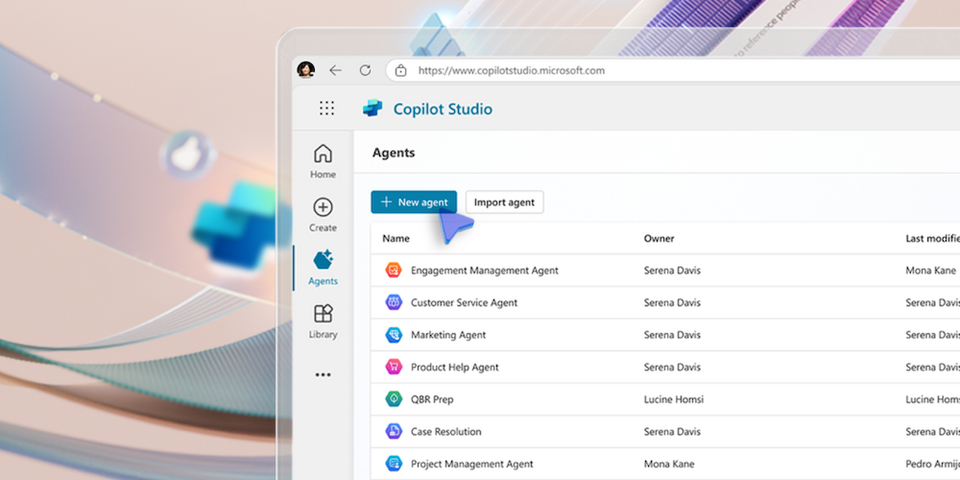
- Custom AI Agent Workflows Using Copilot Studio- we help in building custom agents like Lead Qualification Agents, Customer Service Resolution Agents, Marketing Insight Agents, etc.
- Governance, Security & Access Controls – At Inogic, we decode permissions, logging, security boundaries, and compliance.
- User Training & Adoption Programs – prompt libraries, workshops, training, and adoption plans are being provided here.
- Continuous Optimization – you can track KPIs, improve workflows, and ensure long-term ROI with us, together.
FAQs
1. What are the Researcher and Analyst agents in Microsoft 365 Copilot?
They are AI-powered agents that automate research, document creation, data analysis, and forecasting across Microsoft 365.
2. How do AI agents work inside Microsoft Teams?
They can be invoked within chats, channels, and meetings to analyse data and generate insights and documents.
3. Can Copilot’s Researcher and Analyst agents access internal company data?
They can only access data based on user permissions and admin settings.
4. Do I need Copilot Studio to use the Researcher and Analyst agents?
No. Copilot Studio is only needed for building custom agents.
5. How accurate are the forecasts generated by the Analyst agent?
Accuracy depends on data quality and completeness.
6. Can I use these agents with third-party systems like Salesforce or ServiceNow?
Yes, through connectors. Inogic can help enable these.
7. Are Microsoft 365 AI agents safe to use for confidential or sensitive data?
Yes, they operate within Microsoft security and governance boundaries.
8. How do I enable the Researcher and Analyst agents in Microsoft Teams?
They’re available once Microsoft 365 Copilot is enabled. Admin configuration may be needed.
9. Can these AI agents replace manual reporting and analysis?
They reduce manual work significantly but still require human review.
10. How can my business get the most value from these AI agents?
By integrating systems, enabling governance, training users, and optimizing workflows, along with Inogic’s support.
Conclusion
The new Researcher and Analyst agents in Microsoft 365 Copilot bring advanced automation directly into Microsoft Teams. With proper integration, governance, and user enablement, organizations can transform how they work. Inogic acts as a strategic partner to help businesses achieve maximum value from these AI capabilities.
Looking to build custom AI agents for Teams or Dynamics 365? Send us an email at crm@inogic.com or visit our website https://www.inogic.com/services, and we can help you implement, integrate, and scale securely.