 Customers want instant answers, personalised conversations, and human-like support, and WhatsApp has become the most natural place for those interactions to happen.
But here’s the challenge…
With hundreds (sometimes thousands) of WhatsApp conversations happening daily, how do businesses truly understand what customers feel?
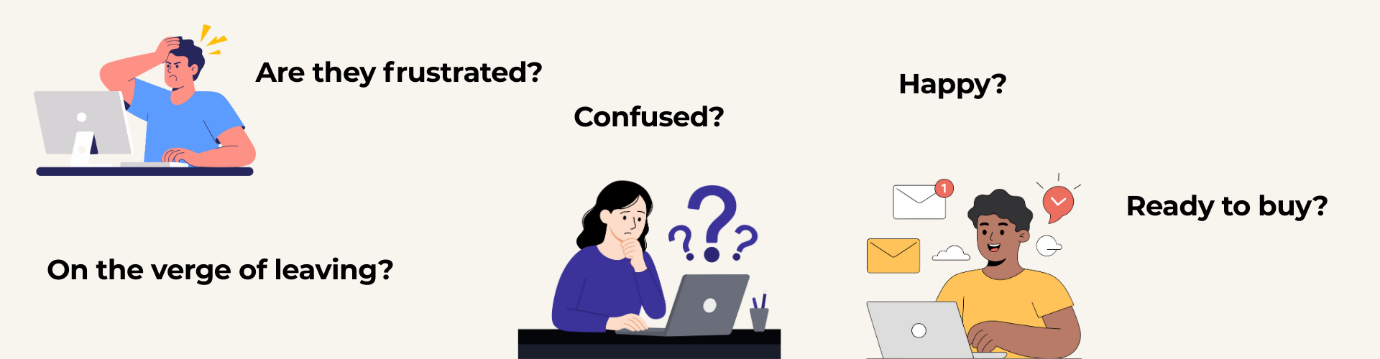
This is where Sentiment Analysis becomes a game-changer.
Let’s explore how analysing emotional tone in WhatsApp chats can transform customer experience, especially when integrated with Dynamics 365.
The Stats Tell the Story
- 2.7 billion+ people use WhatsApp monthly, making it the world’s #1 messaging app.
- 85% of customers prefer messaging a business over emails or calls.
- Companies using sentiment analysis report up to 25% improvement in customer satisfaction.
- Businesses that track emotions in chat see 18% faster response times and higher first-contact resolution rates.
Emotions matter.
And reading them right = better decisions, faster support, and happier customers.
Why Sentiment Analysis is Essential in a Dynamics 365 + WhatsApp Integration
When WhatsApp is connected to Dynamics 365, your support, sales, and service teams gain one unified communication hub. But without sentiment analysis, they still face critical challenges:
- Agents waste time scrolling through long chat threads to understand context.
- Supervisors cannot identify escalating conversations early.
- Teams struggle to prioritise urgent, negative, or high-value conversations.
- Businesses miss emotional signals that influence buying decisions.
A system that understands customer emotions instantly eliminates all the guesswork.
Challenges Without Sentiment Analysis
Running WhatsApp support without emotional intelligence leads to:
- Slow and inefficient responses
- Lack of personalisation
- Poor escalation management
- Agents manually scanning past messages
- Missed sales opportunities
- Decline in customer satisfaction
In high-volume environments, this becomes overwhelming.
Businesses needed a smarter, automated way to understand customer emotions…
And that’s exactly where WhatsApp4Dynamics steps in.
The Solution: WhatsApp4Dynamics within Dynamics 365 CRM
WhatsApp4Dynamics brings deep conversational intelligence and AI-powered features directly into Microsoft Dynamics 365.
It not only connects WhatsApp with CRM, but it also elevates every conversation using automation, context, AI, and emotional insights.
Key Features of WhatsApp4Dynamics
| Chat Hub: Central interface to view, manage, and track all chat sessions. |
| Notifications: Real-time alerts for new messages, calls, assignments, or discussion requests. |
| Multimedia Attachments: Send images, documents, and files directly from CRM, like WhatsApp. |
| Message Templates: Use text, media, buttons, and quick replies for structured messaging. |
| CRM Record Mapping: Automatically link WhatsApp contacts to Dynamics 365 records. |
| Multi-language & File Support: Support multiple languages, emojis, and various file types in chats. |
| Chat History Storage: Store conversation history in CRM with timestamps for reference. |
| Automated Messaging: Trigger workflows to send automated messages like confirmations or reminders. |
| Create CRM Records: Convert WhatsApp conversations into Leads, Contacts, Cases, or custom entities. |
| Voice Calls: Make and receive WhatsApp calls with consent and recording options. |
| AI Integration – InoWiz Copilot: Leverage AI-powered assistance for sentiment analysis, summaries, and intelligent chat support. |
Sentiment Analysis in WhatsApp4Dynamics: Understanding Customer Emotions Instantly
As soon as an agent opens a WhatsApp conversation inside Dynamics 365, WhatsApp4Dynamics automatically performs AI-driven Sentiment Analysis.
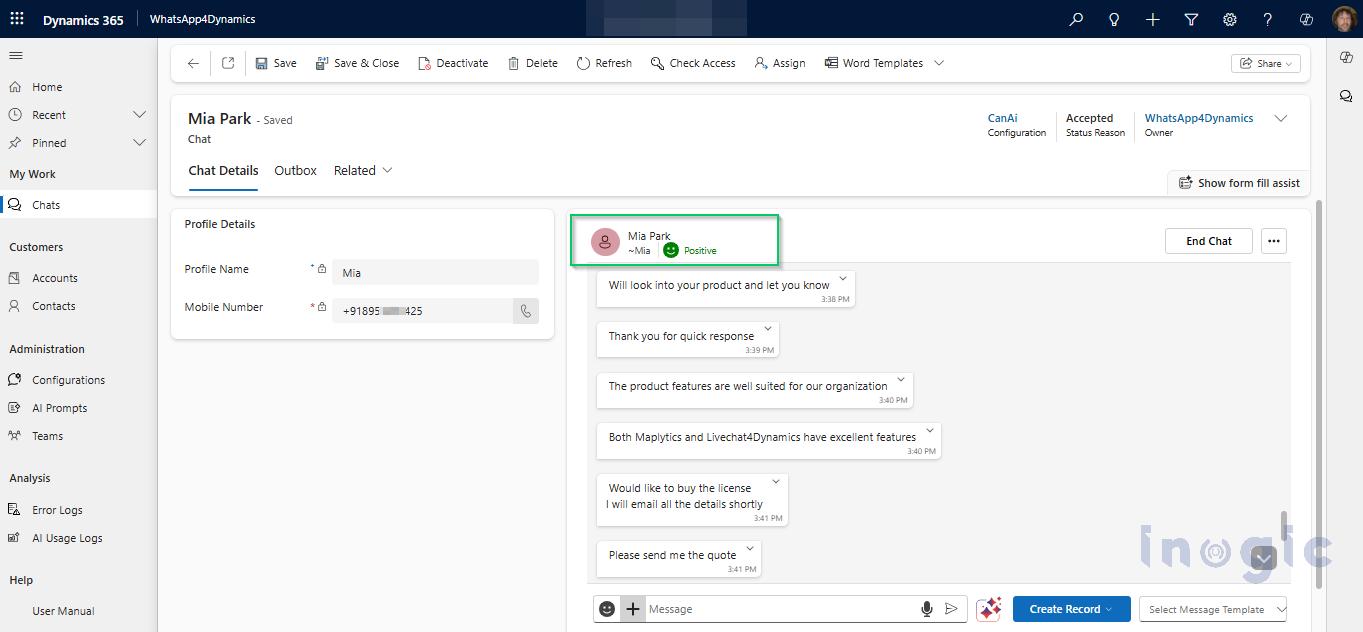
What It Detects
- Positive Sentiment
- Neutral Sentiment
- Negative Sentiment
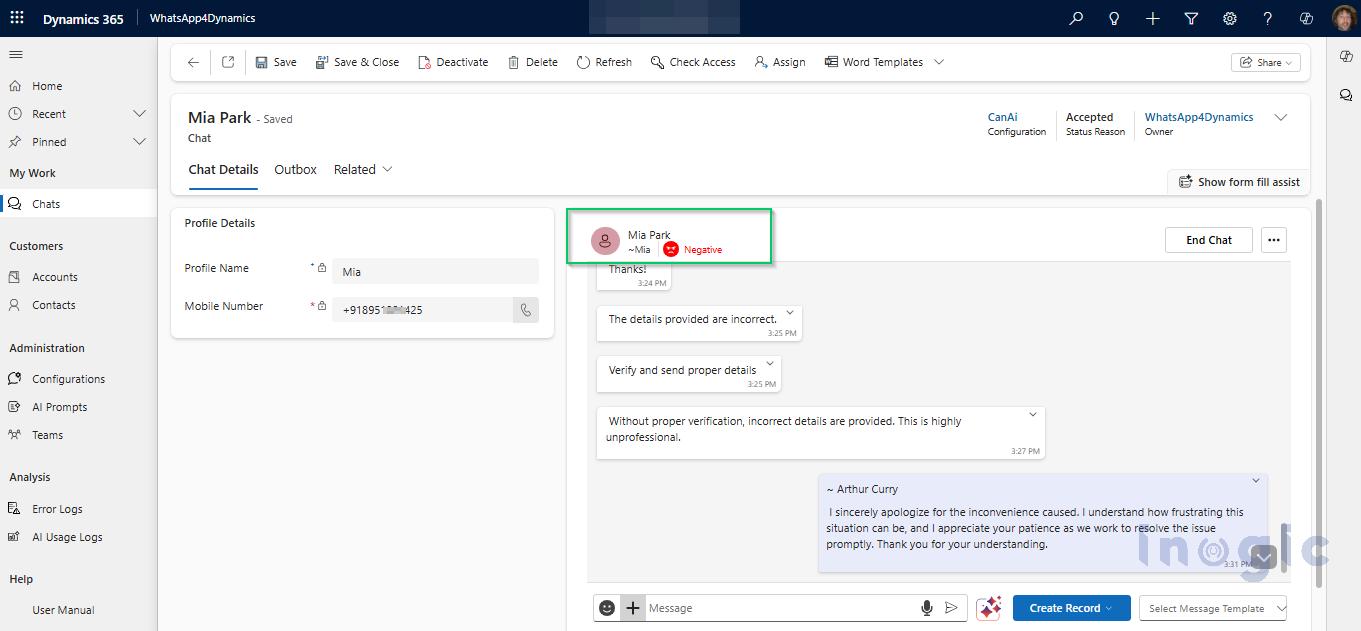
This sentiment is displayed at the top of the chat window, clear, visual, and instantly understandable.
Why It’s Powerful
- Helps agents respond empathetically
- Prioritises urgent or negative conversations
- Gives supervisors real-time visibility
- Reduces handling time
Examples of Sentiment Detection in Real Conversations
1. Positive Sentiment
Customer:
“Thank you so much! The product works perfectly now 😊”
System Reads: POSITIVE
Agent can send appreciation
Great moment for upselling or feedback
Conversation marked as low-risk
2. Negative Sentiment
Customer:
“I’ve been waiting for hours! This service is extremely frustrating.”
System Reads: NEGATIVE
Chat gets higher priority
Supervisor alerted
Agent responds with empathy
Possible escalation handled early
3. Neutral Sentiment
Customer:
“I want to check the status of my order. Order #5623.”
System Reads: NEUTRAL
Regular handling
No emotional urgency
Straightforward query
Sentiment isn’t just a feature; it becomes a decision-support tool for every agent.
Emotion + Automation = Exceptional Customer Experience
WhatsApp conversations are the new frontline of customer engagement.
But understanding the emotions behind every message is what helps businesses deliver:
- Faster responses
- Smarter prioritisation
- Proactive issue resolution
- Personalised interactions
- Happier customers
With WhatsApp4Dynamics, businesses get a powerful combination of Dynamics 365, WhatsApp, and AI-driven Sentiment Analysis, making customer support faster, smarter, and emotionally intelligent.
FAQs
-
What is sentiment analysis in WhatsApp?
It uses AI to understand whether a customer’s message is positive, negative, or neutral.
-
Why do businesses need sentiment analysis?
To prioritise conversations, understand emotion, and respond empathetically and quickly.
-
Is WhatsApp sentiment analysis available inside Dynamics 365?
Yes, through WhatsApp4Dynamics by Inogic.
-
Does the customer know their messages are analysed?
No, analysis happens internally for agent assistance.
-
Can sentiment analysis help improve CSAT?
Absolutely! It helps agents handle negative conversations proactively.
Ready to Transform Your WhatsApp Customer Experience?
Give your teams the power of emotion-aware, AI-driven WhatsApp communication inside Dynamics 365.
Try Whtas4Dynamics with a 15-day free trial from our website or Microsoft AppSource.
Book a live demo and see Sentiment Analysis in action. Contact us at crm@inogic.com.